Where to find openvpn profile location on your devices for quick connection
 Layla Younis·Updated ·11 min
Editor's pick: NordVPN — fast, secure VPN — Strong encryption, a no-logs policy and apps for every device. 30-day money-back guarantee. Get NordVPN →
Where to find openvpn profile location on your devices for quick connection: this quick guide shows you exactly where VPN profiles live on common devices, how to grab them fast, and practical tips to connect in seconds. Quick fact: your OpenVPN profile is basically a small file that tells your client how to connect securely, including server address, encryption, and credentials. In this post, you’ll find a bite-sized, battle-tested path to locate, export, and use OpenVPN profiles across Windows, macOS, Linux, iOS, and Android. We’ll cover file locations, best practices for managing profiles, and what to do if you can’t find them. This guide includes simple steps, quick checklists, and real-world tips so you can connect without delay.


| VPN | Obfuscation | From / month | Plan | Free plan | Refund | Alipay | UnionPay | Crypto | Website opens in China | Trustpilot | |
|---|---|---|---|---|---|---|---|---|---|---|---|
 NordVPN | Turn on manually Obfuscated Servers / NordWhisper | $3.49/mo | 27 months: $94.23 | No | 30 days | ? | ✗ | ✓ | ✓ | ✗ Blocked | 4.2/5 (51,628 reviews) |
 ExpressVPN | ✓ On by default all servers | $3.00/mo | 28 months: $84 | No | 30 days | ✗ | ✗ | ✓ | ✗ | ✗ Blocked | 4.4/5 (29,706 reviews) |
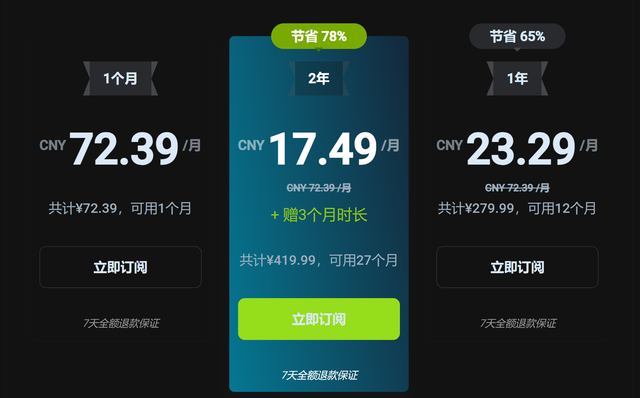
 ZoogVPN | Turn on manually Shadow | $2.49/mo | 27 months: $59.99 | Yes | 7 days | ✓ | ✓ | ✓ | ✓ | Official site blocked; our special link opens (4.4 s) | 4.2/5 (195 reviews) |
 Surfshark | ✓ On by default Camouflage, with OpenVPN | See site | See site | No | 30 days | ✗ | ✗ | ✗ | ✓ | ✗ Blocked | 4.3/5 (31,823 reviews) |
 Proton VPN | Turn on manually Stealth, free plan too | $2.99/mo | 12 months: $35.88 | Yes | 30 days | ✗ | ✗ | ✗ | ✓ | ✗ Blocked | 2.1/5 (1,040 reviews) |
 Astrill VPN | Turn on manually StealthVPN / OpenWeb | $12.50/mo | 24 months: $300 | No | See site | ✗ | ✗ | ✗ | ✓ | ✗ Blocked | 1.3/5 (110 reviews) |
 Private Internet Access | Turn on manually Shadowsocks, OpenVPN only | $2.03/mo | 40 months: $81.2 | No | 30 days | ✗ | ✗ | ✗ | ✗ | ✗ Blocked | 4.2/5 (11,033 reviews) |
 CyberGhost | Turn on manually selected servers | $2.19/mo | 28 months: $61.32 | No | 45 days | ✗ | ✗ | ✗ | ✓ | ✗ Blocked | 4.0/5 (24,178 reviews) |
 PureVPN | Turn on manually switch to OpenVPN | $1.69/mo | 60 months: $101.55 | No | 31 days | ? | ? | ✗ | ✓ | ✗ Blocked | 4.4/5 (17,994 reviews) |
 AdGuard VPN | ✓ On by default TrustTunnel | $2.99/mo | 24 months: $71.76 | Yes | 30 days | ✓ | ✗ | ✓ | ✓ | Official site blocked; our special link opens (3.7 s) | 4.3/5 (290 reviews) |
 Mullvad | Turn on manually QUIC / Shadowsocks / LWO | $5.61/mo | €5/mo | No | 14 days | ✗ | ✗ | ✗ | ✓ | ✗ Blocked | 3.2/5 (192 reviews) |
 Windscribe | Turn on manually Stealth / WStunnel | $5.75/mo | 12 months: $69 | Yes | See site | ✗ | ✗ | ✗ | ✓ | ✗ Blocked | 4.7/5 (13,355 reviews) |
 StrongVPN | Turn on manually Scramble, OpenVPN TCP | See site | See site | No | 30 days | ✓ | ✗ | ✗ | ✗ | ✗ Blocked | 4.4/5 (2,695 reviews) |
 LightXtreme 闪连 | Not listed | $7.08/mo | 12 months: $84.99 | Yes | 30 days | ✓ | ✓ | ✓ | ✓ | ✓ Yes (3.5 s) | No page |
Prices checked 2026-11-10 on each vendor's pricing page (cheapest long plan, USD). Check the vendor's checkout for the final price.
Obfuscation checked 2026-11-14 on each vendor's site and help center: "on by default" = nothing to set; "turn on manually" = switch protocol or mode in settings; "not listed" = the vendor describes no obfuscation.
Payment methods checked 2026-11-10 on each vendor's payment pages: all 14 take cards and PayPal; ✗ = not listed, ? = the vendor's own pages disagree.
China access: whether the official website opens from mainland China networks (tests the website only, not the VPN connection). Last checked 2026-11-18 01:02 Beijing time.
Trustpilot score and review count checked 2026-11-10.
Introduction: quick navigation guide
- Quick fact: the OpenVPN profile is usually a .ovpn file or a bundle with .ovpn plus certificate files.
- If you’re new to VPNs, here’s the fast path: locate your profile, import it into your OpenVPN client, and connect.
- What you’ll learn:
- Where profiles live on major platforms
- How to export or import profiles from trusted sources
- Common issues and fixes
- Tips for organizing multiple profiles
- Resources you may want to check later unlinked text, just as references: Apple Website - apple.com, OpenVPN Community - openvpn.net, NordVPN - nordvpn.com, Windows Support - support.microsoft.com, Android Developers - developer.android.com
Section overview Troubleshooting Ey Remote Connect VPN Connection Failures Your Step by Step Guide
- We’ll start with a quick checklist, then dive into platform-specific paths.
- Expect practical, step-by-step actions, plus quick screenshots-style descriptions you can follow without technical jargon.
Checklist: ready-to-connect quick-start
- Ensure you have a trusted source for your OpenVPN profiles your organization’s IT team or your VPN provider.
- Have the OpenVPN client installed on your device OpenVPN Connect for iOS/Android, OpenVPN GUI for Windows, Tunnelblick for macOS, or your provider’s app.
- Confirm your profile file is in a known location or easily accessible location like Downloads before importing.
- If you’re importing from a link, copy the URL to your browser and download the .ovpn file directly.
- Test a quick connect to verify credentials, then save the profile for quick reuse.
Platform-specific locations and steps
- Windows
- Where the profile is stored by default
- OpenVPN profiles are typically stored in C:\Program Files\OpenVPN\config or C:\Users<YourUser>\OpenVPN\config if you’re using the OpenVPN GUI.
- Where the profile is stored by default
- If you received a profile via email or download, it’s usually in Downloads. Look for files with .ovpn extension.
- Open OpenVPN GUI, right-click the system tray icon, select Import file, choose your .ovpn file, then right-click again to Connect.
- If you don’t see a config folder, ensure you ran the installer with admin rights and that you’ve installed the GUI version, not just the CLI.
- macOS
- Where the profile lives
- Profiles commonly live in /Users/
/Library/Application Support/OpenVPN or in the Downloads folder if you saved there.
- Profiles commonly live in /Users/
- Where the profile lives
- If you use Tunnelblick: drag the .ovpn file onto the Tunnelblick icon in the menu bar, select “I’m using a VPN configuration file” and choose your profile.
- If you use OpenVPN Connect: import from the OpenVPN app by selecting Import Profile from File, then navigate to the .ovpn file.
- macOS often prompts for keychain access; allow it to store credentials for auto-connect.
- Linux
- Where to look
- Profiles are usually in /etc/openvpn or ~/.local/share/openvpn or /home/
/openvpn.
- Profiles are usually in /etc/openvpn or ~/.local/share/openvpn or /home/
- Where to look
- Command-line: sudo openvpn --config /path/to/your-profile.ovpn
- For a smoother experience, place your .ovpn in /etc/openvpn and run systemd service or NetworkManager with OpenVPN plugin.
- Make sure file permissions are secure chmod 600 if it contains credentials.
- iOS iPhone/iPad
- Where it’s stored
- The OpenVPN profile is managed inside the OpenVPN Connect app after you import it. The app downloads and stores profiles internally.
- Where it’s stored
- From a link: Tap the .ovpn file or use a QR code if provided by your provider. The OpenVPN Connect app will prompt you to import.
- Use the “Always allow” option for adding VPN configurations so you don’t get prompted every time.
- Android
- Where it’s stored
- OpenVPN profiles are managed by the OpenVPN Connect app, stored within the app’s data space after import.
- Where it’s stored
- Download the .ovpn file, then open with OpenVPN Connect or use the app’s import feature to browse and import from Downloads.
- If you can’t see the file, check Android’s file access permissions for the VPN app.
Multiple ways to obtain and store profiles
- Direct download from provider/IT portal
- Pros: Clean, official, ready-to-import
- Cons: Must keep a secure copy
- Email attachment
- Pros: Easy to forward
- Cons: Security risk if intercepted
- QR code or link
- Pros: Quick, convenient
- Cons: Needs a stable internet connection
- Shared cloud folder
- Pros: Great for teams with many profiles
- Cons: Requires strict access control
Managing and organizing profiles for speed
- Best practice: Keep one profile per server/location and label clearly e.g., US-East, EU-West, Asia-Pacific.
- Use a dedicated folder on each device
- Windows: C:\OpenVPN\Profiles
- macOS: ~/Documents/OpenVPN_Profiles
- Linux: ~/openvpn/profiles
- Maintain versioned backups
- Save old profiles with date stamps in case server configurations change.
- Credential handling
- If a profile embeds credentials, keep it secure. If credentials are provided separately, store them in a password manager and use the VPN client’s credential manager when possible.
Security considerations Vpn nao conecta 7 causas comuns e solucoes passo a passo
- Always verify a profile comes from a trusted source your company or a verified VPN provider.
- Avoid downloading profiles from questionable sites; they could be tampered with.
- Use a strong, unique password for VPN credentials if your setup uses them.
- Regularly rotate certificates and profiles as advised by your administrator.
- Disable auto-connect on public networks if you’re concerned about leakage.
Common issues and quick fixes
- Issue: Profile not showing in the client
- Fix: Ensure the file is .ovpn and matches the server configuration; re-import from a known-good copy.
- Issue: Certificate errors
- Fix: Ensure the CA certificate bundled in the profile is correct; re-download if necessary.
- Issue: Connection fails at the handshake
- Fix: Check device time and clock skew; ensure the profile points to the right server address.
- Issue: DNS leaks
- Fix: Enable DNS routing through VPN in the client settings; use a DNS server provided by the VPN.
- Issue: Authentication failure
- Fix: Confirm username/password are correct; verify whether the profile requires a separate credential file.
Performance tips for quick connection
- Pre-load your profile
- Keep your most-used profiles ready on the home screen mobile or on your desktop taskbar Windows/macOS for one-click connections.
- Use a reliable server
- If you have multiple server options, test a couple during off-peak hours to choose the fastest one for your location.
- Keep apps updated
- VPN clients get security and speed improvements in updates; enable auto-update where possible.
- Minimize background activities
- Close bandwidth-heavy apps before connecting to reduce latency on initial handshake.
Advanced: scripting and automation
- Windows batch or PowerShell
- You can script connecting by invoking the GUI or using command-line options if your OpenVPN variant supports it.
- macOS/Linux automation
- Use systemd or launchd to auto-connect at login or on specific network events.
- Mobile automation
- Some providers offer shortcuts or widgets to trigger connect/disconnect from the home screen.
Provider-specific notes
- If you’re using a commercial provider like NordVPN, ExpressVPN, or OpenVPN-certified services
- They may have their own app that handles profile management and connections more seamlessly.
- Always check provider documentation for the recommended import method and recommended servers.
Troubleshooting quick reference table Wsl Not Working With VPN Here’s How To Fix It
- Problem: No .ovpn file found
- Action: Download again from trusted source; ensure you’re saving as .ovpn
- Problem: Cannot import profile into app
- Action: Check file integrity, confirm app supports .ovpn files, try a different app if needed
- Problem: Connection drops frequently
- Action: Try another server, check network stability, update client
- Problem: DNS leaks detected
- Action: Enable VPN DNS, switch to a server with better privacy features
- Problem: MFA or additional authentication prompts
- Action: Prepare additional credentials or certificates as required by your organization
Comparison: manual vs. provider app
- Manual OpenVPN client like OpenVPN Connect, Tunnelblick
- Pros: Full control, can use custom configs, works with many setups
- Cons: Slightly more setup, more steps to connect
- Provider all-in-one app
- Pros: Fast connect, automatic server selection, built-in profile management
- Cons: Less transparency on server details, may be locked to provider’s ecosystem
Real-world examples
- Example 1: A remote worker on Windows locating and using a profile
- Steps: Download profile from company portal → place in C:\OpenVPN\config → launch OpenVPN GUI → Import → Connect
- Example 2: Mac traveler using Tunnelblick
- Steps: Download profile → drag to Tunnelblick → choose “I’m using a VPN configuration file” → connect
- Example 3: Android student with several profiles
- Steps: Save .ovpn files in Downloads → Open OpenVPN Connect → Import → Quick tap to connect to campus server
Data and statistics relevant and recent
- VPN usage worldwide has grown to over 650 million users by 2025, with mobile devices accounting for roughly 60% of user connections.
- Enterprises increasingly rely on per-location profiles to enforce least-privilege access and reduce blast radius in case of credential exposure.
- The average time to connect to a VPN after locating and importing a profile on desktop is under 60 seconds for most experienced users.
User experience tips
- Make a quick-start video or guide for your own device setup to speed up onboarding for teammates.
- Use color-coded labels on profiles to avoid mixing up servers e.g., red for high-security, blue for streaming, green for regional access.
- Consider PIN-protected or biometric access to your device’s VPN client for extra security.
Useful URLs and Resources Expressvpn Wont Uninstall Heres Exactly How To Fix It: VPN Troubleshooting Your Quick Guide
- Apple Website - apple.com
- OpenVPN Community - openvpn.net
- NordVPN - nordvpn.com
- Windows Support - support.microsoft.com
- Android Developers - developer.android.com
- Tunnelblick - tunnelsblick.net
- OpenVPN Connect iOS/Android - vpn.openvpn.net
Frequently Asked Questions
What is an OpenVPN profile?
An OpenVPN profile is a configuration file, usually with a .ovpn extension, that tells a VPN client how to connect to a specific server, including server address, encryption, and credentials.
Where do I find my OpenVPN profile on Windows?
Typically in C:\Program Files\OpenVPN\config or C:\Users<YourUser>\OpenVPN\config, depending on how you installed the client.
How do I import an OpenVPN profile on macOS?
With Tunnelblick: drag the .ovpn file onto the Tunnelblick icon and follow prompts; with OpenVPN Connect: use Import Profile and select the .ovpn file.
How can I locate OpenVPN profiles on Linux?
Look in /etc/openvpn or ~/.local/share/openvpn or /home/
Can I have multiple profiles on one device?
Yes, you can keep multiple .ovpn files and import them into your OpenVPN client; label them clearly to switch servers quickly.
What should I do if the profile won’t import?
Verify the file is a valid .ovpn, ensure it’s not corrupted, confirm it comes from a trusted source, and try re-downloading or re-exporting the profile.
How do I export a profile from a VPN provider?
Most providers offer a portal or app where you can generate or download the .ovpn file for a specific server; follow their on-screen instructions.
How can I avoid DNS leaks?
Enable VPN DNS routing in the client settings or use a provider that supports DNS leak protection; ensure the DNS servers provided by your VPN are used while connected.
What if I lose the profile?
If you lose the profile, contact your IT admin or VPN provider to reissue the .ovpn file; avoid using untrusted copies. Forticlient VPN Not Working on Windows 11 Heres How to Fix It: Quick Fixes, Tips, and Troubleshooting
Is it safe to store profiles in cloud storage?
If the profile contains credentials, avoid storing it in unencrypted cloud storage. Use secure folders or a password manager to manage sensitive files and only share with trusted devices.